Learn the words you actually run into, not a list someone else wrote
Select a word in any article, press the chip, and it becomes a card with the sentence it came from. Review it in the popup, see it underlined the next time it shows up — all on your device, no account.
Add Vocabulary Flashcards to Chrome — free
- Card = word + sentence + source + definition
- SM-2 spaced repetition, keys 1–4
- CSV export that Anki imports
You look the word up, nod, and forget it by the next paragraph
Reading in a second language is the best vocabulary input there is — and the worst at making anything stick. You stop, open a dictionary tab, understand, close it. Copying the word into Anki means leaving the article, typing the sentence, pasting a definition; after the third word you stop doing it. The generic frequency list on your phone has none of the words from the thing you actually read.
Select, click the chip
A small «+ Card» appears above anything you select. One click saves the word, the sentence around it and the page URL; for English words the definition is fetched on save. Alt+Shift+F does the same without the chip.
Review in the popup
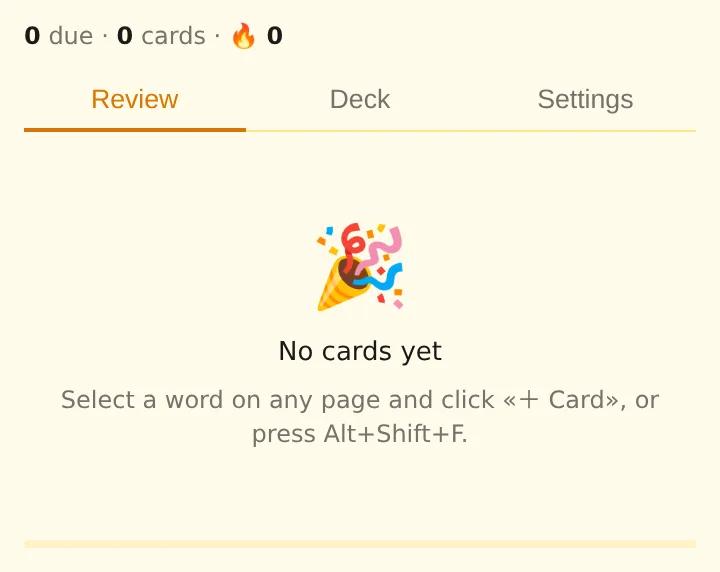
Due cards flip: front, then back with the original sentence and the word marked in it. Again / Hard / Good / Easy (keys 1–4) set the next date by SM-2. A daily goal and a streak keep the sessions short and regular.
Meet it again, underlined
Every word in your deck is softly underlined on any page where it appears; hover and the definition shows. Reading becomes passive review. Turn it off per site or everywhere.
What you get
A deck built from your own reading: each card carries the word, the sentence, the page it came from and the review history. Search and edit it in the Deck tab, export it as a two-column CSV (`flashcards.csv`) that Anki and other apps import, or import one you already have. Everything stays in Chrome's local storage; the only request made is the single word sent to the public dictionary when auto-define is on.
English newspaper, morning coffee
Three unfamiliar words in a long read: «reprieve», «precarious», «serenity». Three clicks, three cards with their sentences. The evening review takes two minutes.
Documentation in a foreign language
A developer reading German docs saves terms with the exact phrases they appear in; auto-define is off, the back is written by hand. Export to CSV at the end of the month for Anki.
A novel, slowly
Words saved from chapter one keep turning up underlined in chapter seven. Hover, remember, read on — that is the review.
Compared with the usual ways of collecting vocabulary
| Anki alone | Leave the page, type word, sentence and definition into a form | Vocabulary Flashcards: Card made from the selection in one click, CSV export to Anki when you want it |
|---|---|---|
| Dictionary extensions | Explain the word, forget it once the popup closes | Vocabulary Flashcards: Saves it, schedules it, underlines it next time |
| Vocabulary apps with their own lists | Words you may never see; account and sync | Vocabulary Flashcards: Only words from what you read; stored locally, no account |
FAQ
How do I make a flashcard from a web page?
Select the word or phrase and click the «+ Card» chip that appears, or press Alt+Shift+F. The card gets the word, the sentence around it, the page URL and — for English words — a definition.
Does it use spaced repetition?
Yes. Grades Again / Hard / Good / Easy feed an SM-2 schedule; the Deck tab shows when each card is due.
Can I export the cards to Anki?
Export writes a CSV with front, back and context columns; Anki's import reads it as a two- or three-field note. Import accepts the same layout, with comma, tab or semicolon separators.
Does it work for languages other than English?
Saving, review and highlighting work for any language. Automatic definitions are available for English words only; for other languages you type the back of the card.
Where are my cards stored?
In Chrome's local storage on this computer. Nothing is uploaded and there is no account. Saving the first few cards is free; ExtSpace Pro removes the limit.

Vocabulary Flashcards
Free Chrome extension that saves any selected word as a flashcard with its sentence and definition, underlines it on pages you read and reviews it with spaced repetition. Anki CSV export, no account.
Add Vocabulary Flashcards to Chrome — free